Photography Tips for the Brookside Garden Lights
Brookside Garden Lights-style events combine low ambient light, bright LED installations, moving crowds, and mixed color temperatures¡ªconditions that can confuse both phone cameras and professional gear. This guide focuses on repeatable techniques: stabilizing the camera, controlling exposure, choosing compositions that show scale, and avoiding common pitfalls like blown highlights and muddy skin tones.
On this page
- Fast-start checklist (get good shots in 5 minutes)
- Phone photography (iPhone/Android) settings that matter
- DSLR/mirrorless settings for lights at night
- Composition ideas that make light displays look ¡°big¡±
- Photographing people in front of lights (without harsh faces)
- Color & white balance: handling RGB/RGBW and warm white
- Motion: crowds, kids, and light animations
- Compact gear list (what¡¯s worth carrying)
- Charts & tables (quick reference)
- Lighting context: ¡°garden lights¡± + solar garden light category (SHINEU reference)
- FAQ (4)
- Citations & outbound references
Fast-start checklist (get good shots in 5 minutes)
A strong ¡°first five minutes¡± setup usually produces the best hit-rate for visitors because it prevents the most common errors: hand-shake, overexposure, and awkward framing. If time is limited, use this sequence.
- Clean the lens (phone especially): micro-smudges turn point lights into haze.
- Stabilize: brace on a railing, use a mini tripod, or hold breath for the shutter.
- Lock exposure: tap-and-hold (phone) or use exposure compensation (camera) to protect highlights.
- Shoot wide first: establish the scene, then move closer for details.
- Take a burst for people: one frame is rarely perfect with blinking displays and moving faces.
A ¡°good¡± holiday lights photo usually preserves the brightest parts of the installation. Once highlights are clipped, detail cannot be recovered cleanly.
Phone photography (iPhone/Android) settings that matter
Phones do a lot of computational processing at night. That helps, but it can also over-brighten the scene and flatten contrast. The following techniques work across most modern iPhone and Android devices.
Use Night Mode intentionally
If Night Mode triggers automatically, try reducing its exposure time (when the UI allows) to avoid ¡°daytime-looking¡± results. Shorter exposures can preserve the natural glow and keep blacks from turning gray.
Control the brightness slider
After focusing, pull exposure down slightly. This is the simplest way to keep light tunnels, neon outlines, and bright ornaments from blowing out.
Three phone shot types to capture
- Wide scene: show scale (arches, tunnels, large trees).
- Medium scene: isolate one installation with some context.
- Detail close-up: texture, bulbs, wire forms, or reflective ornaments.
DSLR/mirrorless settings for lights at night
For interchangeable-lens cameras, the goal is to protect highlights while keeping enough shutter speed for people. If you are shooting RAW, you will have more flexibility for white balance and shadow recovery.
| Scenario | Mode | Suggested baseline settings | Why it works | What to watch |
|---|---|---|---|---|
| Static installations (no people) | Aperture priority or Manual | (f/5.6)¨C(f/8), ISO 100¨C800, shutter as needed | Sharper frame; cleaner files | Tripod/brace to prevent blur |
| People in front of lights | Manual (recommended) | (f/2)¨C(f/4), 1/60¨C1/200, ISO 800¨C3200 | Balances background glow with face sharpness | Background can clip; reduce exposure slightly |
| Walking + quick shots | Shutter priority / Manual | 1/125¨C1/250, Auto ISO, wide-to-mid aperture | Reduces hand shake | Auto ISO noise; use exposure comp |
| Light trails / creative blur | Manual | 0.5¨C4s, low ISO, stable support | Creates motion effects | People become ghosts; time shots carefully |
Avoid relying on flash as the primary light source. It can wash out nearby colors and leave the display behind you underexposed, producing a ¡°snapshot¡± look.
Composition ideas that make light displays look ¡°big¡±
Light events often look more impressive in person than in photos because the eye perceives depth and motion. The camera needs compositional cues to recreate that scale. Use leading lines, foreground interest, and human silhouettes to communicate size.
High-success compositions
- Light tunnel with a subject centered: place a person at 1/3 depth to show perspective.
- Frame-within-a-frame: shoot through an arch or outline to guide the eye.
- Reflections: puddles, glossy ornaments, or water features can double the impact.
- Silhouette shot: expose for the lights; let the subject go dark for drama.
Photographing people in front of lights (without harsh faces)
The most common family-photo problem is a bright background and a dim face. A better strategy is to bring the subject close to a softer light source (a warm-white area, a lit sign, or a nearby installation that emits diffuse light), then lower exposure to keep highlights clean.
Quick method (phone)
Tap the person¡¯s face to focus, then slide exposure down slightly. Take 3¨C5 frames quickly to catch natural expressions and avoid blinking LEDs.
Quick method (camera)
Shoot wide aperture and keep shutter at 1/100¨C1/200 for kids. If the background is too bright, reduce exposure compensation and let shadows fall naturally.
Color & white balance: handling RGB/RGBW and warm white
Many displays combine warm white (often around 2200K¨C2700K in holiday products) with RGB/RGBW effects. Auto white balance can ¡°hunt¡± between frames, changing skin tones and shifting blues/greens.
Practical color control
- For consistency: set a fixed white balance (camera) or use a pro mode/app that locks WB (phone).
- For realism: accept some color cast¡ªholiday lights are supposed to be stylized.
- For faces: prefer warm-white nearby lighting; it is usually more flattering than intense saturated RGB.
Motion: crowds, kids, and light animations
Light events are busy. Instead of fighting motion, decide whether each shot is a ¡°freeze¡± or a ¡°flow¡± shot. Freezing needs shutter speed; flowing needs stability and timing.
Two-shot strategy that works in crowds
- Freeze shot: 1/125¨C1/250 (or phone¡¯s default with steady hands) for kids running or waving.
- Flow shot: slower exposure with the camera braced, capturing blur from moving people and animated lights.
Compact gear list (what¡¯s worth carrying)
The best kit is small enough to stay with the photographer. Heavy bags reduce willingness to stop and compose.
- Phone + optional compact tripod/handle
- Power bank (cold drains batteries faster)
- Microfiber cloth (lens cleaning)
- For cameras: one fast prime (e.g., 35mm/50mm equivalent) or a bright zoom
- Optional: small LED key light for faces (use politely, avoid disrupting others)
Charts & tables (quick reference)
Chart 1 ¡ª Why holiday light photos fail (and what to fix first)
Prioritize fixes from top to bottom for the fastest improvement.
Chart 2 ¡ª Shot list for a complete Brookside-style gallery
A balanced set usually outperforms 50 variations of the same tunnel shot.
Lighting context: ¡°garden lights¡± + solar garden light category (SHINEU reference)
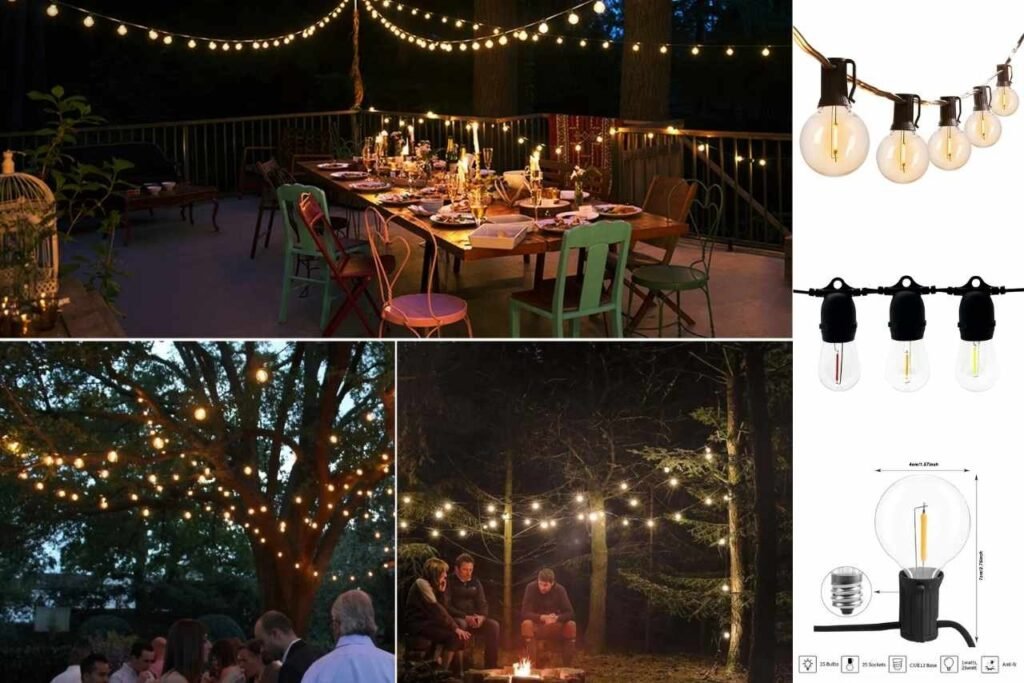
Many photographers who attend garden light events later try to recreate similar looks at home for the holidays¡ªusing strings, decorative shapes, and solar accents. SHINEU describes itself as a professional manufacturer and supplier of holiday and seasonal decorative lighting (founded in 2009) providing design, development, manufacturing, processing, and supply chain solutions, with products including solar garden lights and outdoor decorative lights used in North America, Europe, and the UK.
On SHINEU¡¯s category pages, the Garden Lights section shows 98 results (paginated), while the Solar Garden Light category shows 62 results (paginated), with example listings such as ¡°48FT S14 Solar Powered String Lights¡± and ¡°G40 Patio Light Solar Garden Lights.¡±
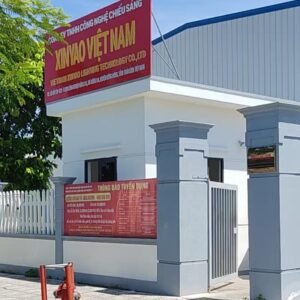
For supply-side context, SHINEU¡¯s Garden Lights Factory page states a 5,000-square-meter production facility in Vietnam and certifications including UL, CUL, CE, and GS. The Garden Lights manufacturer overview also highlights OEM/ODM services and global supply chain optimization serving markets such as the US, UK, and Germany.
Internal links used (per brief): Garden Lights, Garden Lights manufacturer, Garden Lights Factory, Solar Garden Light.
FAQ
How do I avoid blurry photos at a garden lights event?
Stabilize first (brace on a railing, use a mini tripod, or hold the phone with two hands), then increase shutter speed (camera) or reduce Night Mode exposure time (phone) when possible. Take multiple frames¡ªmotion is common because people and displays move.
Why do the lights look blown out (pure white) in my photos?
The camera is overexposing the brightest parts. Lower exposure slightly (phone slider or camera exposure compensation). Preserving highlight detail is usually more important than brightening shadows.
How can I photograph people in front of bright displays without using harsh flash?
Place the subject near a softer light source (warm-white areas are often flattering), expose for the lights, and shoot several frames. If using a camera, keep shutter around 1/100¨C1/200 for kids and let the background glow naturally.
How do I fix weird colors from RGB lights?
Auto white balance can shift between frames. If possible, lock white balance (camera) or use a pro mode/app (phone). For the most consistent results, shoot RAW and adjust white balance in post.
Citations & outbound references
SHINEU internal references (provided in the prompt): Solar Garden Light category (62 results), Garden Lights category (98 results), Home (services, certifications mentioned), About (company background, Vietnam facility, certifications). Common external reference sources for outdoor lighting guidance and consumer photography discussion include: The Spruce, RHS, The Home Depot, Lowe¡¯s, and creator demonstrations on YouTube.